GET TO KNOW MINDMESH
What is MindMesh?
MindMesh is a cognitive workspace for Mac, iPhone, and iPad that brings notes, documents, planning, and conversations with Nova AI into one connected environment.
It connects related content across your workspace and resurfaces it—bringing useful context back into view.
Explore the workspace ↗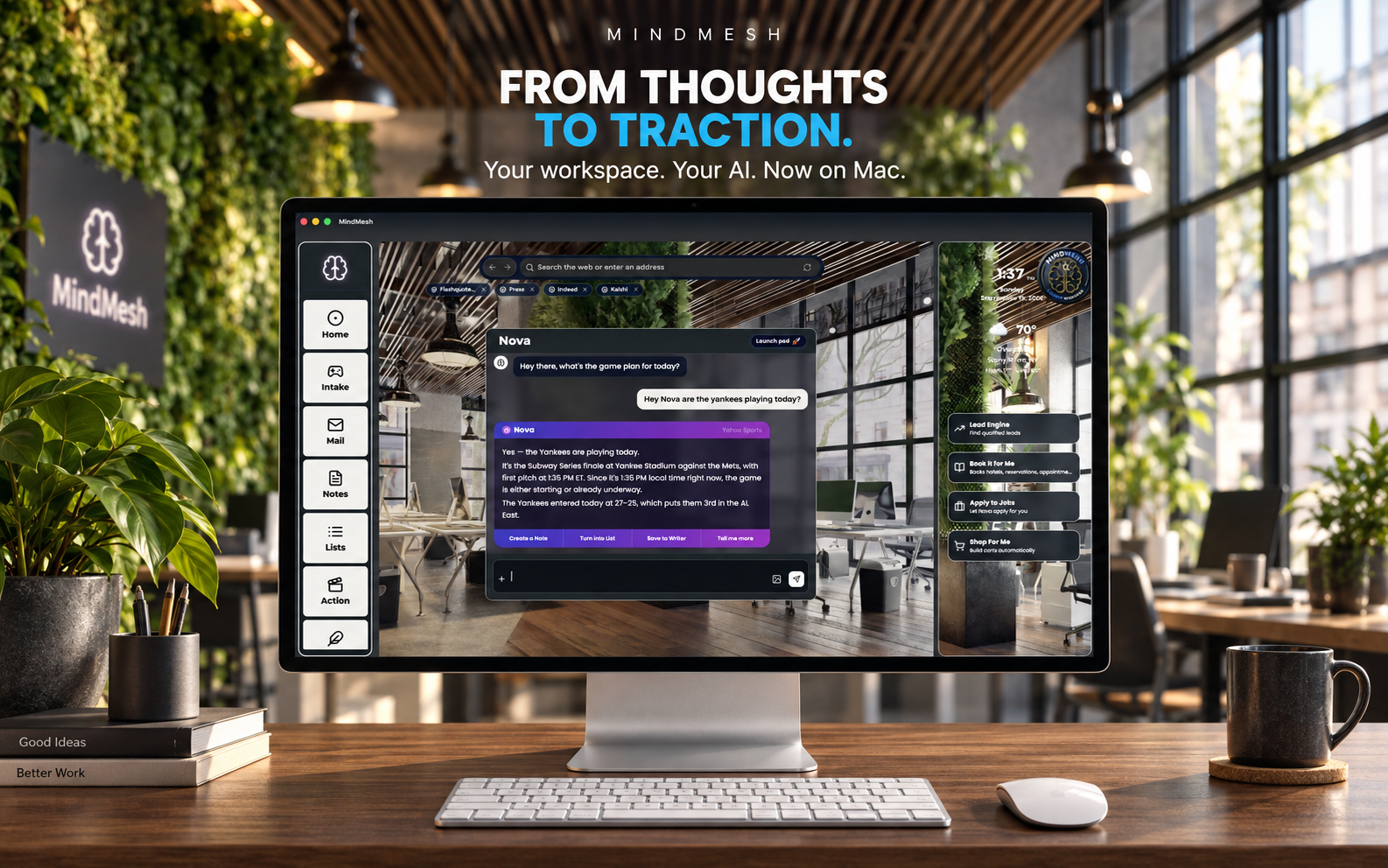
What does a cognitive workspace mean?
In MindMesh, it means a place where your information and the work you do with it belong together. A note, a document, a plan, and a conversation can all contribute to the same piece of work.
The aim is to spend less time gathering context again and more time thinking, writing, and deciding what comes next.
Connections worth rediscovering.
MindMesh connects related content across your workspace and resurfaces it—bringing useful context back into view.
That matters when work spans more than one session. A detail you recorded earlier can still be relevant to what you are doing now. Keeping related material connected helps you return to the thinking behind the work, as well as the work itself.
What can you do in MindMesh?
- Keep notes and plans together.
- Use notes, lists, folders, and your calendar to give information and commitments a place in your workspace.
- Write and refine documents.
- In Writer, ask Nova for a document, choose its length and style, then generate and refine your draft.
- Turn a conversation into useful work.
- Work through a question with Nova and turn the conversation into notes, lists, or documents.
How does Nova fit in?
Nova is the AI companion inside MindMesh. You can use it to develop an idea, draft a document, or work through your next step alongside your workspace.
On Mac, you can also browse inside MindMesh with Nova alongside you, helping you work with websites and bring useful information into your workspace.
Three ways to put it to work.
- Develop a proposal. Keep your background notes in the workspace, ask Nova to help draft the proposal in Writer, and refine the result before sharing it.
- Plan the next step. Review your notes, turn decisions into a list, and use your calendar to plan time for the work.
- Continue a line of thinking. Bring a question to Nova, explore it in conversation, and save the useful parts as a note or document you can return to.
Who is it for?
MindMesh is for people whose work moves between ideas, information, writing, and planning. It is especially relevant when you want those activities in one environment, with AI alongside the work.
Explore the screenshots and tools to see whether the workflow fits how you think. The FAQ covers common questions, and the magazine explores focus, organization, and connected work.
Where can you use it?
MindMesh is available on Mac, iPhone, and iPad. Check the App Store listing for current compatibility and membership details.
View MindMesh on the App Store ↗